Niagara Falls MSFS24
Niagara Falls
Experience the raw power and breathtaking beauty of Niagara Falls like never before in Microsoft Flight Simulator 2024.
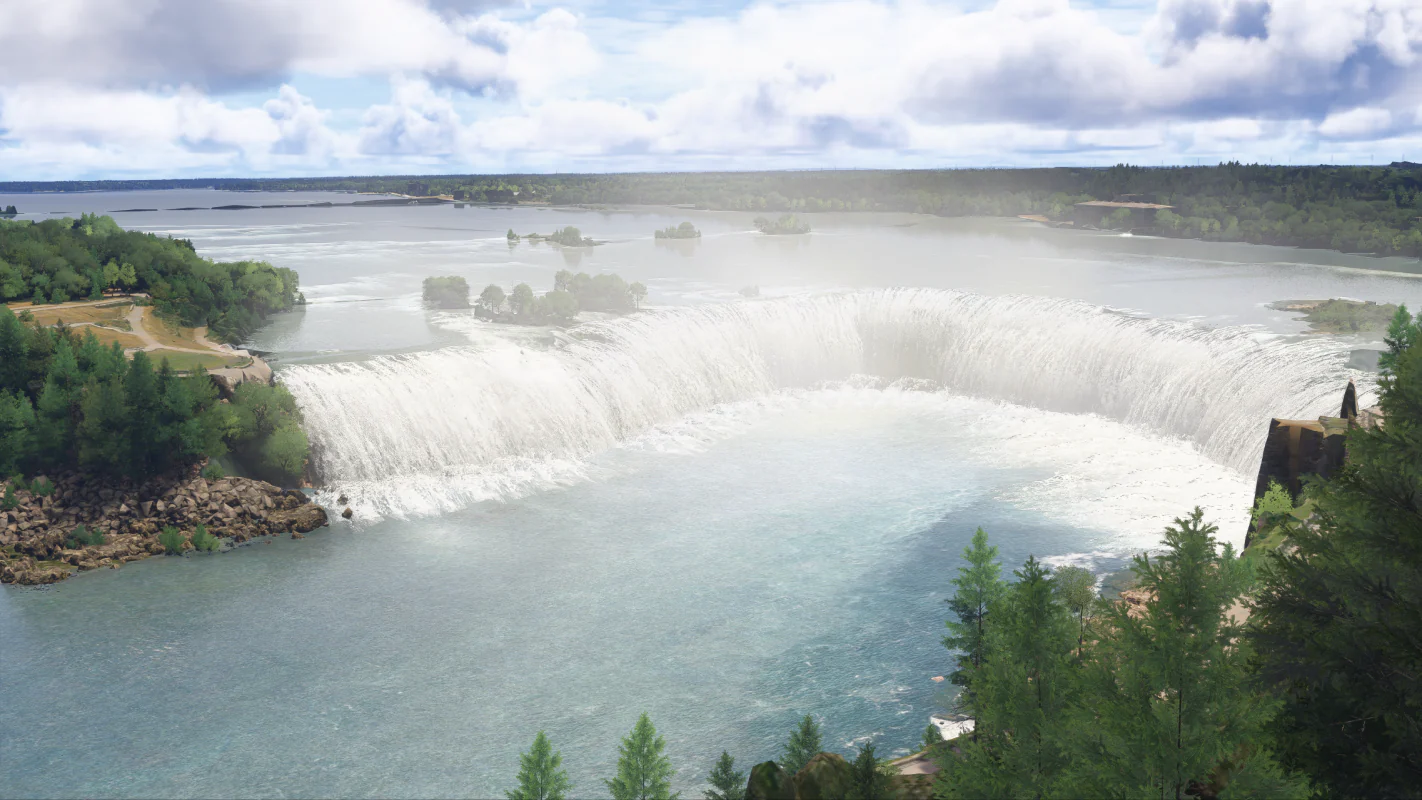
This handcrafted add-on brings both the iconic Horseshoe Falls and American Falls to life with custom, realistic animated waterfalls that capture the thunderous motion and misty atmosphere of the real-world wonder.
Features Dynamic Animated Waterfalls – Smooth, lifelike water flow with realistic spray and mist effects.
Perfect For scenic VFR flights over the Niagara River.
Helicopter tours with dramatic views of the falls.
Bring one of the world’s greatest natural wonders into your simulator and feel the rush of flying over Niagara Falls with unparalleled realism.
Very Important Note:
The sim by default has implemented an exclusion somewhere around the horseshoe bend thus making all changes done to not appear by default.
Do the following steps to load the addon as intended:
- Open settings
- Click Advance Options
- Click experimental features
- Open Package Reorder tool
- Look for "cli4d_niagara_falls"
- click on the arrow down corresponding to the file
- Set it to the lowest part to make sure it will be the last to be loaded in order for the horse shoe bend waterfalls to appear as intended.
- Restart the sim
Original: $5.93
-65%$5.93
$2.08Product Information
Product Information
Shipping & Returns
Shipping & Returns
Description
Niagara Falls
Experience the raw power and breathtaking beauty of Niagara Falls like never before in Microsoft Flight Simulator 2024.
This handcrafted add-on brings both the iconic Horseshoe Falls and American Falls to life with custom, realistic animated waterfalls that capture the thunderous motion and misty atmosphere of the real-world wonder.
Features Dynamic Animated Waterfalls – Smooth, lifelike water flow with realistic spray and mist effects.
Perfect For scenic VFR flights over the Niagara River.
Helicopter tours with dramatic views of the falls.
Bring one of the world’s greatest natural wonders into your simulator and feel the rush of flying over Niagara Falls with unparalleled realism.
Very Important Note:
The sim by default has implemented an exclusion somewhere around the horseshoe bend thus making all changes done to not appear by default.
Do the following steps to load the addon as intended:
- Open settings
- Click Advance Options
- Click experimental features
- Open Package Reorder tool
- Look for "cli4d_niagara_falls"
- click on the arrow down corresponding to the file
- Set it to the lowest part to make sure it will be the last to be loaded in order for the horse shoe bend waterfalls to appear as intended.
- Restart the sim